Localizing as your coding agent writes
The localize.dev MCP server and an after-edit hook let Claude Code, Cursor and other agents translate new UI text in the same change that adds it.
Stephen Ufort · November 11, 2026 · 3 min read
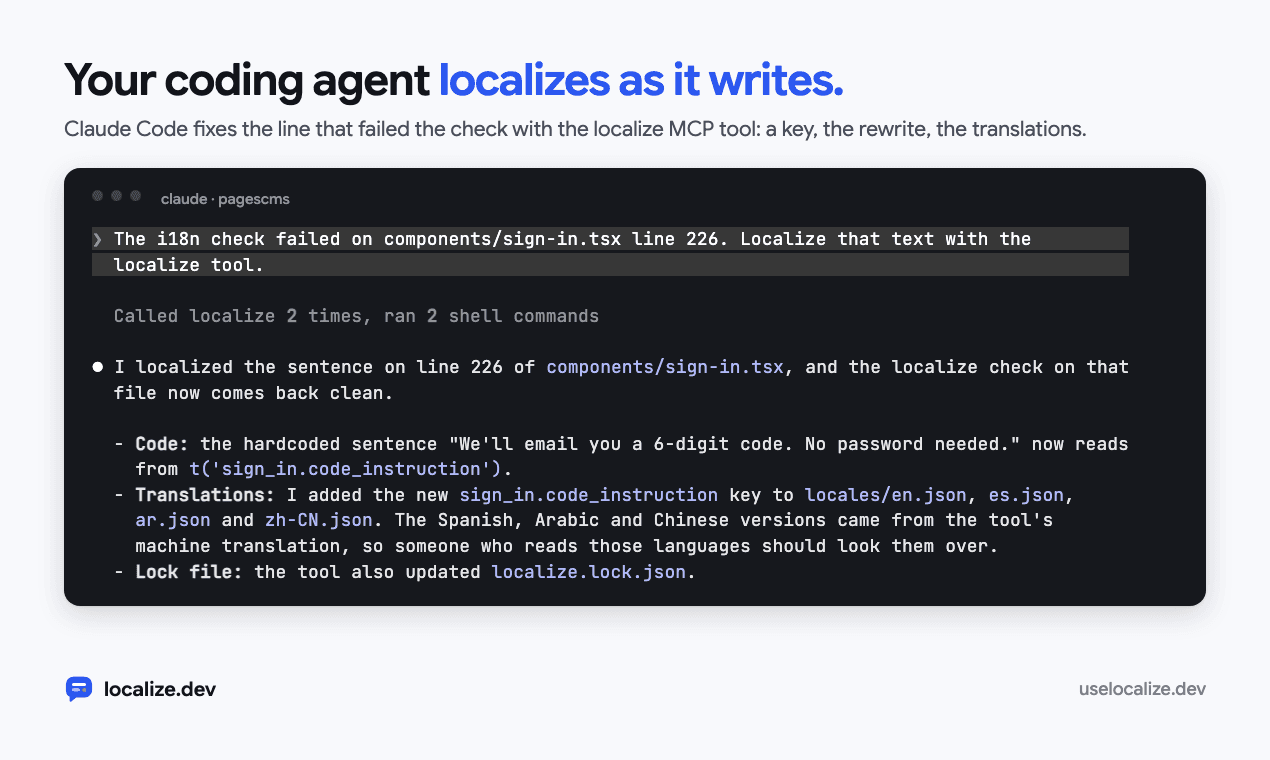
Coding agents write UI text quickly, and almost all of it is hardcoded English. An app that was fully localized last month can have dozens of untranslated strings this month, and no one typed them by hand.
localize.dev gives agents the same engine the CLI uses, as an MCP server, plus a hook that tells the agent when a file it just edited has text that isn’t translated. This post is about how the two fit together.
Five tools
The MCP server has five tools. Two of them are free and need no key:
check: hardcoded copy and missing or outdated translations, each with its file and line. Passpathsto check just the files the agent changed.config: the app’s conventions for writing UI copy, so new code callst()the way the rest of the app does.localize: gives hardcoded text keys, rewrites the code and translates the new messages.translate: fills in missing translations in the locale files.add_language: adds a language to the config and translates every message into it.
Run it locally with npx -y localize-dev mcp, so the code rewriting happens on your machine. Browser builders like Lovable, Bolt and v0 can’t start a local process, so they connect to the hosted server at https://uselocalize.dev/api/mcp with OAuth or an API key.
The hook that closes the loop
An MCP tool only helps if the agent remembers to call it. In Claude Code, an after-edit hook makes sure it does. After every Edit or Write, the hook runs check on the file the agent just changed. If the file is UI code with untranslated text, the hook exits with code 2, and Claude Code shows its message to the agent:
localize.dev: src/components/SignIn.tsx has UI text that isn't translated yet.
  line 9: "We'll email you a 6-digit code. No password needed."
Call the localize tool of the localize-dev MCP server with paths ["components/SignIn.tsx"]: it gives this text translation keys, rewrites the code and translates it.
Without the MCP server, run in the project folder: npx localize-dev run --files src/components/SignIn.tsx
The agent then calls localize with that path. The sentence gets a key, the line is rewritten to call t(), and the new message is translated into every language the app has, in the same change as the code the agent was writing.
The hook never gets in the agent’s way. A file that isn’t UI code, a file that’s clean, and any error in the hook itself all exit with code 0 and print nothing. Set LOCALIZE_DEV_HOOK=off to turn it off for a session.
Setting it up
One command adds everything to the repository:
npx localize-dev init --agent- The MCP server in
.mcp.jsonfor Claude Code and.cursor/mcp.jsonfor Cursor. - The after-edit hook in
.claude/settings.json, on Edit, MultiEdit and Write. - A section in
AGENTS.mdandCLAUDE.md, and a Cursor rule for the app’s UI files, telling the agent to localize as it writes and to runcheckbefore it finishes.
It only adds to what’s there. Your other servers, hooks and instructions stay, and running it again replaces its own section instead of adding a second one. Add --pre-commit to also check staged files before each commit, for changes made without an agent.
Why not just ask the agent
You can ask an agent to extract and translate strings without any of this, and for one file it often works. Across a whole app, the keys drift between files, plural forms the agent didn’t think about go missing, and nothing catches the next untranslated sentence. The MCP server gives the agent the same key registry, the same translation checks and the same CI check as a full run.
Try it on your own code in the playground, no account needed