Add i18n to a Next.js App Router app in one pull request
One localize.dev run on a new Next.js 16 app: what it finds, what it changes in client and server components, what you still do by hand, and how it ships as one pull request.
Stephen Ufort · November 16, 2026 · 8 min read
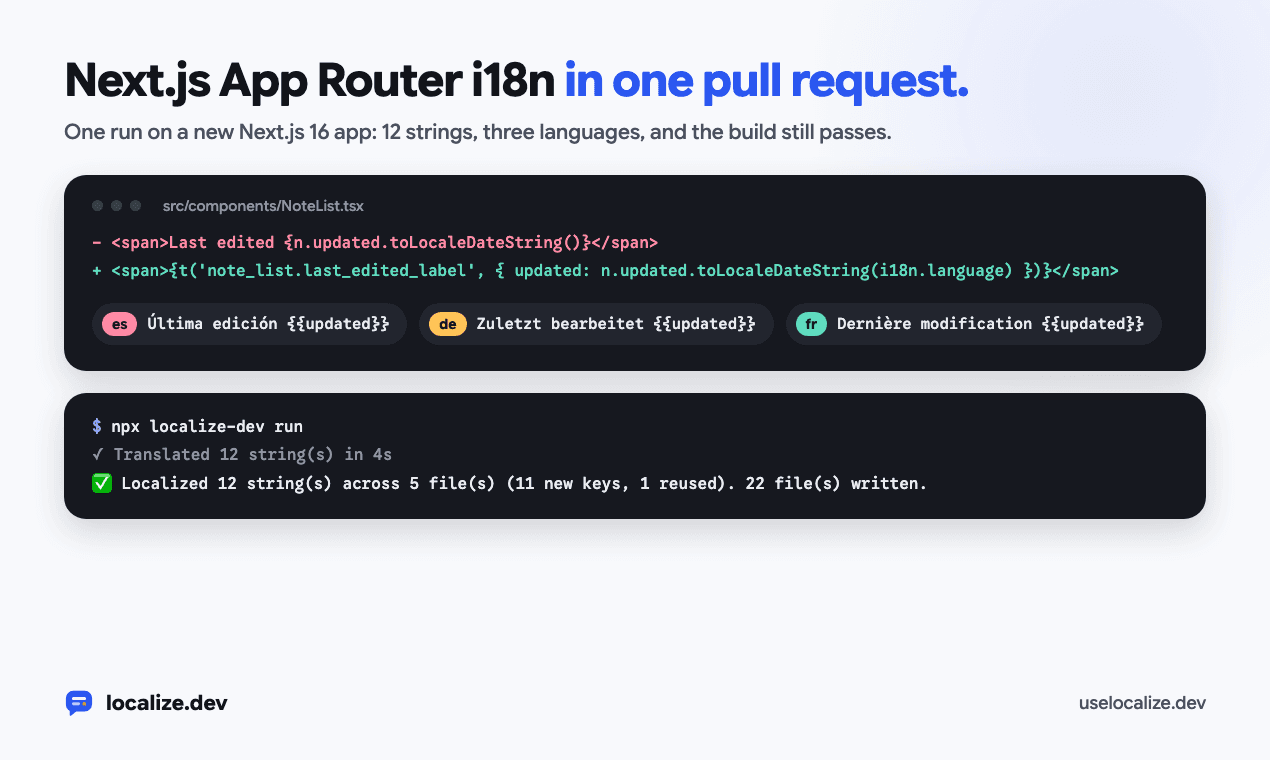
This is one run of localize.dev on a new Next.js 16 App Router app, from the first check to the pull request. Every command, file and line of output below comes from that run.
The app is a small notes app made with create-next-app: a home page with a sign-up form, a notes page, two client components and page metadata. It shows twelve pieces of UI text, all hardcoded in English.
See what's hardcoded
Start with check. It runs on your machine, needs no account and changes nothing:
$ npx localize-dev check
  src/app/layout.tsx:6  "Shared notes your team can search in seconds."
  src/app/notes/page.tsx:6  "My notes"
  src/app/notes/page.tsx:13  "My notes"
  src/app/page.tsx:7  "Shared notes your team can search in seconds"
  src/app/page.tsx:9  "Write meeting notes, tag them and find them again from any workspace. Read the <a>quick start</a> or start a free trial."
  src/components/NoteList.tsx:12  "Search your notes"
  src/components/NoteList.tsx:13  "{count} notes"
  src/components/NoteList.tsx:14  "Nothing matches "{query}". Try another word."
  src/components/NoteList.tsx:19  "Last edited {updated}"
  src/components/SignUpForm.tsx:12  "Check your email address and try again."
  src/components/SignUpForm.tsx:25  "Your work email"
  src/components/SignUpForm.tsx:29  "Get started"
⚠️  12 hardcoded string(s) in 5 file(s). Fix with: npx localize-dev run
It lists more than JSX text: the metadata description, a placeholder, an aria-label and an error message passed to setError. The plural shows up once as {count} notes, and the sentence with a date as Last edited {updated}, because each of those becomes one message.
Keep the product name
The page title is only the product name, Acme Notes. An earlier run without any config translated it to "Acme Notas" in Spanish. Add the name to doNotTranslate, and list the languages you want:
{
  "targetLocales": ["es", "de", "fr"],
  "doNotTranslate": ["Acme Notes"]
}
Text made only of those names stops counting as copy, which is why the title isn't in the list above. Where the name appears inside a longer sentence, every language keeps it as written.
Run it
run gives each string a key, rewrites the code, translates the new messages and sets up i18next for the App Router. It needs an API key (npx localize-dev login). The free plan covers 1,000 strings a month in 3 languages, which is more than this app needs.
$ npx localize-dev run
🔍 Scanning src/ (target locales: es, de, fr)
Requesting keys/translations for 12 unique string(s) in 5 batch(es)...
✓ Translated 12 string(s) in 4s

src/app/layout.tsx
  L6  'Shared notes your team can search in seconds.'  →  t('layout.shared_notes_description')

src/app/notes/page.tsx
  L6  'My notes'  →  t('notes.metadata_title')
  L13  My notes  →  {t('notes.metadata_title')}

src/app/page.tsx
  L7  Shared notes your team can search in seconds  →  {t('home.hero_heading')}
  L9  Write meeting notes, tag them and find them again from any workspace. Read the <Link href="/docs">quick start</Link> or start a free trial.  →  <Trans t={t} i18n={i18n} i18nKey="home.meeting_notes_description" components={{ a: <Link href="/docs" /> }} />

src/components/NoteList.tsx
  L12  "Search your notes"  →  {t('note_list.search_placeholder')}
  L13  {shown.length === 1 ? '1 note' : `${shown.length} notes`}  →  {t('note_list.notes_count', { count: shown.length })}
  L14  Nothing matches "{query}". Try another word.  →  {t('note_list.no_results_message', { query })}
  L19  Last edited {n.updated.toLocaleDateString()}  →  {t('note_list.last_edited_label', { updated: n.updated.toLocaleDateString(i18n.language) })}

src/components/SignUpForm.tsx
  L12  'Check your email address and try again.'  →  t('signup.email_error')
  L25  "Your work email"  →  {t('signup.work_email_input_label')}
  L29  Get started  →  {t('signup.get_started_button')}

✅ Localized 12 string(s) across 5 file(s) (11 new keys, 1 reused). 22 file(s) written.
📦 Added i18next, react-i18next, localize-dev to package.json
🛠️  Created src/i18n.ts, imported in src/app/layout.tsx
🌐 Added <LanguageSwitcher /> in src/language-switcher.tsx; render it where people pick a language
⚠️  Set "siteUrl" in localize.config.json (https://your-site.com): `src/app/sitemap.ts` needs full addresses, and off Vercel, Netlify, Render and Railway it has no other way to know them.
⚠️  Locale files now merge key by key: run this once per clone (and in CI before merging) so git uses it: git config merge.localize-dev.driver "npx localize-dev merge-locales %O %A %B %P"
👉 Run `npm install` to install them.
The run wrote 22 files. The code edits are small, and most of the files are new: the locale files and the i18n setup. Act on the two notes at the end: set siteUrl if the app isn't deployed on Vercel, Netlify, Render or Railway, and run the git config line once per clone so locale files merge key by key.
A client component
NoteList is a client component, so it gets useTranslation():
'use client';

import { useState } from 'react';
import type { Note } from '@/lib/notes';
import { useTranslation } from 'react-i18next';

export function NoteList({ notes }: { notes: Note[] }) {
  const { t, i18n } = useTranslation();
  const [query, setQuery] = useState('');
  const shown = notes.filter((n) => n.title.toLowerCase().includes(query.toLowerCase()));

  return (
    <section className="mt-6">
      <input value={query} onChange={(e) => setQuery(e.target.value)} placeholder={t('note_list.search_placeholder')} className="w-full rounded border px-3 py-2" />
      <p className="mt-2 text-sm text-gray-500">{t('note_list.notes_count', { count: shown.length })}</p>
      {shown.length === 0 && <p className="mt-6">{t('note_list.no_results_message', { query })}</p>}
      <ul className="mt-4 space-y-2">
        {shown.map((n) => (
          <li key={n.id} className="rounded border p-3">
            <span className="font-medium">{n.title}</span>
            <span className="ms-2 text-sm text-gray-500">{t('note_list.last_edited_label', { updated: n.updated.toLocaleDateString(i18n.language) })}</span>
          </li>
        ))}
      </ul>
    </section>
  );
}
The 1 note or N notes ternary became one plural message with a count, so a language with more plural forms gets all of them (Spanish got one, many and other). The date stayed inside its sentence as a placeholder named updated, so German puts it after "Zuletzt bearbeitet" and a language that puts the date first can. The date is now formatted with i18n.language, the language of the request. Before the run it used the browser's. On /es/notes it reads 10/11/2026, day first.
A server component
Server components can't use hooks, so the home page awaits getTranslation() instead. The sentence with a link becomes a <Trans> that keeps your <Link>:
import Link from 'next/link';
import { SignUpForm } from '@/components/SignUpForm';
import { getTranslation } from '../i18n.server';
import { Trans } from 'react-i18next/TransWithoutContext';

export default async function Home() {
  const { t, i18n } = await getTranslation();
  return (
    <main className="mx-auto max-w-2xl px-6 py-24">
      <h1 className="text-4xl font-semibold">{t('home.hero_heading')}</h1>
      <p className="mt-4 text-lg text-gray-600">
        <Trans t={t} i18n={i18n} i18nKey="home.meeting_notes_description" components={{ a: <Link href="/docs" /> }} />
      </p>
      <SignUpForm />
    </main>
  );
}
Metadata works the same way. export const metadata became a generateMetadata() that translates the title and description for each request, with the canonical address and og:locale of the request's language.
The setup it adds
Each new file starts with a comment that says what it does:
src/proxy.ts:/es/notesrenders/notesin Spanish, so every language has its own address. Unprefixed addresses follow thelangcookie, thenAccept-Language.src/i18n.server.ts:getTranslation()for server components, with the language of the request.src/i18n-provider.tsxandsrc/i18n.ts: one i18next instance per render tree for client components, so two requests in different languages never share one.src/i18n-seo.ts,src/i18n-alternates.tsx,src/app/sitemap.tsandsrc/app/robots.ts: canonical addresses, og:locale, hreflang links and a sitemap with every page in every language.locales/en.json,es.json,de.json,fr.jsonandlocalize.lock.json, which records what each translation was made from, so a later run only translates what changed.src/language-switcher.tsx, and a.gitattributesline so two branches that both add keys merge without a conflict.
The root layout now reads the language for each request and sets <html lang dir> from it, so a right-to-left language is laid out right to left from the first paint.
Show a language switcher
The run generates <LanguageSwitcher /> but leaves the placement to you. Here it goes in the notes page header:
import { LanguageSwitcher } from '../../language-switcher';

export default async function NotesPage() {
  const { t } = await getTranslation();
  const notes = await getNotes();
  return (
    <main className="mx-auto max-w-2xl px-6 py-12">
      <header className="flex items-center justify-between">
        <h1 className="text-2xl font-semibold">{t('notes.metadata_title')}</h1>
        <LanguageSwitcher />
      </header>
      <NoteList notes={notes} />
    </main>
  );
}
It saves the choice in the lang cookie and refreshes, so server components render in the new language as well.
Read the translations
Someone who reads each language should look at the locale files in the diff. Check words with two meanings, names that should have stayed as written, and how the app addresses the reader. localize.dev sends one form of address per language with every batch (Sie in German, vous in French, tú in Spanish), so one run doesn't mix them. If your app says du, put that in the style notes of your workspace glossary.
{
  "layout": {
    "shared_notes_description": "Notas compartidas que tu equipo puede buscar en segundos."
  },
  "notes": {
    "metadata_title": "Mis notas"
  },
  "home": {
    "hero_heading": "Notas compartidas que tu equipo puede buscar en segundos",
    "meeting_notes_description": "Escribe notas de reuniones, etiquétalas y encuéntralas de nuevo desde cualquier espacio de trabajo. Lee la <a>guía de inicio rápido</a> o inicia una prueba gratuita."
  },
  "note_list": {
    "search_placeholder": "Busca tus notas",
    "notes_count_one": "{{count}} nota",
    "notes_count_many": "{{count}} notas",
    "notes_count_other": "{{count}} notas",
    "no_results_message": "Nada coincide con \"{{query}}\". Intenta con otra palabra.",
    "last_edited_label": "Última edición {{updated}}"
  },
  "signup": {
    "email_error": "Comprueba tu dirección de correo electrónico y vuelve a intentarlo.",
    "work_email_input_label": "Tu correo electrónico del trabajo",
    "get_started_button": "Empezar"
  }
}
To change a translation, edit the locale file. The next run translates only messages whose English changed, so it leaves your edit alone.
Open the pull request
Put the run on a branch, check that the app still builds, and open the pull request:
git switch -c add-languages
npx localize-dev run
npm install
npm run build
git add -A
git commit -m "Spanish, German and French"
gh pr create --fill
npx localize-dev pr does the same in one step: it runs the localization and opens the pull request from a localize-dev/<branch> branch, with a token from GITHUB_TOKEN.
Keep it translated
The next feature will add English text again. Run npx localize-dev check in CI to catch it: it needs no key, and it fails on hardcoded copy or a missing translation. Or add the GitHub Action, which translates new text on every push and opens one pull request with it:
# Copy to .github/workflows/localize.yml in the repository you want to localize.
# Needs the repository secret LOCALIZEDEV_API_KEY (create a key in the localize.dev dashboard).
name: Localize

on:
  push:
    branches: [main] # your default branch
  pull_request:
    types: [opened, synchronize]
  workflow_dispatch: # "Run workflow" button in the Actions tab

permissions:
  contents: write # push the localize-dev/<branch> branch
  pull-requests: write # open or update the localization PR

# One run per branch at a time; a newer push supersedes the running one.
concurrency:
  group: localize-${{ github.head_ref || github.ref_name }}
  cancel-in-progress: true

jobs:
  localize:
    runs-on: ubuntu-latest
    timeout-minutes: 60
    # Skip localize.dev's own branches, and fork PRs (their token is read-only).
    if: >-
      !startsWith(github.head_ref || github.ref_name, 'localize-dev/') &&
      (github.event_name != 'pull_request' || github.event.pull_request.head.repo.full_name == github.repository)
    steps:
      - name: Checkout
        uses: actions/checkout@v5
        with:
          # On PRs, scan the branch itself rather than the merge commit.
          ref: ${{ github.head_ref || github.ref_name }}

      - name: Localize
        uses: ufortstephen/autolocalize-action@v1
        with:
          github_token: ${{ secrets.GITHUB_TOKEN }}
          api_key: ${{ secrets.LOCALIZEDEV_API_KEY }}
          target_locales: 'es,de,fr'
          # src_dir: 'src' # default: your framework's (src, app/views, resources/views, lib…)
          # locales_path: 'public/locales/{locale}/common.json' # default: your framework's
          # working_directory: 'apps/web' # monorepo: localize just this app
The workflow needs a LOCALIZEDEV_API_KEY repository secret, and it skips its own localize-dev/ branches.
Try it on your own code in the playground, no account needed