Make Claude Code translate UI text as it writes
One feature request in a Next.js app with three languages: the setup, the hook's message, the localize call, the translations and the check, from a real Claude Code session.
Stephen Ufort · November 16, 2026 · 5 min read
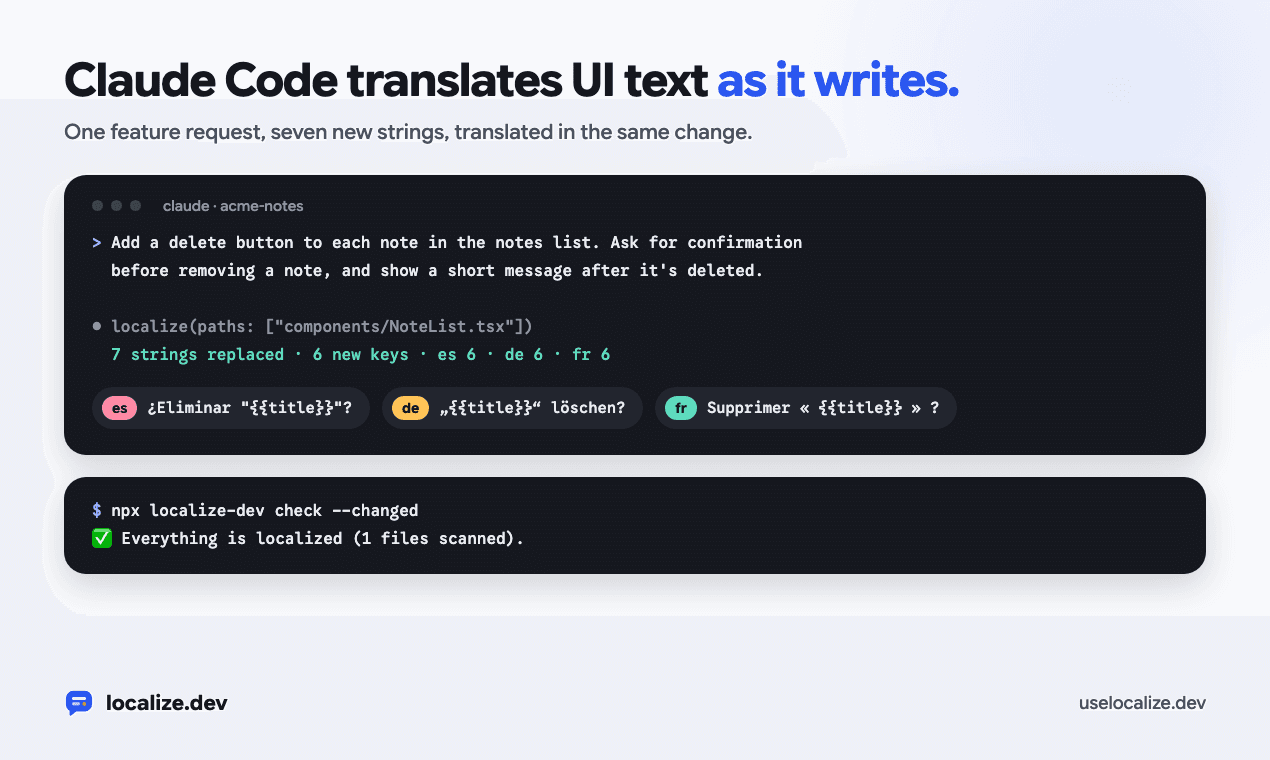
Claude Code writes UI text in English, wherever the feature needs it. In an app that's already translated, every new feature leaves a few hardcoded strings behind. This post follows one feature request in a Next.js app with Spanish, German and French, from the setup to the passing check, with the real commands and output.
The app is the notes app from the post on adding i18n to a Next.js App Router app in one pull request. It already has i18next, locale files and a language switcher. How the MCP server and the hook work inside is in the post on localizing as your coding agent writes; this one shows them on a real change.
Set it up
One command adds the MCP server, the after-edit hook and the instructions for the agent:
$ npx localize-dev init --agent
🤖 Wrote .mcp.json
🤖 Wrote .cursor/mcp.json
🤖 Wrote .claude/settings.json
🤖 Wrote AGENTS.md
🤖 Wrote CLAUDE.md
🤖 Wrote .cursor/rules/localize.mdc
Commit these so everyone working on the project, and their agents, gets them. Restart the agent to load the MCP server.
The hook goes in .claude/settings.json. After every Edit, MultiEdit or Write, Claude Code runs localize-dev hook on the file the agent changed:
{
  "hooks": {
    "PostToolUse": [
      {
        "matcher": "Edit|MultiEdit|Write",
        "hooks": [
          {
            "type": "command",
            "command": "npx -y localize-dev hook",
            "timeout": 60
          }
        ]
      }
    ]
  }
}
AGENTS.md gets a short section, and CLAUDE.md imports it, so Claude Code reads it at the start of every session:
## Translations (localize.dev)

The UI text is translated with localize.dev, so text people see goes through the i18n library and isn't hardcoded.

- After adding or changing UI text, call the `localize` tool of the localize-dev MCP server with the files you changed (`paths`, relative to the source folder `src`). It gives the text keys, rewrites the code and translates the new messages. Without the MCP server, run `npx localize-dev run --files <files>`.
- Before finishing, run `npx localize-dev check --changed`. It should pass.
- Leave new messages out of the other languages' locale files: localize fills them in. Fixing a translation that's wrong is fine.
Commit the files so the rest of the team, and their agents, get them too. Then restart Claude Code so it starts the MCP server.
Ask for a feature
This is the whole request. It doesn't mention translations:
Add a delete button to each note in the notes list. Ask for confirmation before removing a note, and show a short message after it's deleted.Claude Code read the notes code, then wrote a server action that deletes a note, a delete function in the data layer, and the new NoteList: a Delete button on each note, a confirmation inside the row, a message after the delete and an error message if it fails. That first draft had seven pieces of English text in it.
What the hook sees
Here is what the hook prints for that first draft. It found all seven, including the aria-label and the two template literals:
localize.dev: src/components/NoteList.tsx has UI text that isn't translated yet.
  line 41: "Deleted "{deletedTitle}"."
  line 43: "Couldn't delete the note. Try again."
  line 54: "Delete "{title}"?"
  line 56: "Delete"
  line 59: "Cancel"
  line 63: "Delete "{title}""
  line 64: "Delete"
Call the localize tool of the localize-dev MCP server with paths ["components/NoteList.tsx"]: it gives this text translation keys, rewrites the code and translates it.
Without the MCP server, run in the project folder: npx localize-dev run --files src/components/NoteList.tsx
The hook exits with code 2, so Claude Code shows this message to the agent. A file with nothing to translate exits with code 0 and prints nothing. To turn the hook off for a session, set LOCALIZE_DEV_HOOK=off.
The localize call
Right after writing the component, the agent called the localize tool with that path. These are the call and the stats from its result:
localize({ "paths": ["components/NoteList.tsx"] })

"stats": {
  "filesScanned": 1,
  "stringsReplaced": 7,
  "newKeys": 6,
  "reusedKeys": 1,
  "translations": { "es": 6, "de": 6, "fr": 6 }
}
Seven strings became six keys: the two Delete buttons share note_list.delete_button. The template literals became messages with placeholders, so Delete "${n.title}" is now one message with a title placeholder, and a language can put the title wherever its grammar needs it. The confirmation row now looks like this:
{confirmingId === n.id ? (
  <div className="flex items-center gap-2 text-sm">
    <span>{t('note_list.delete_note_confirmation', { title: n.title })}</span>
    <button type="button" onClick={() => remove(n)} disabled={pending} className="rounded bg-red-600 px-3 py-1 text-white disabled:opacity-50">
      {t('note_list.delete_button')}
    </button>
    <button type="button" onClick={() => setConfirmingId(null)} disabled={pending} className="rounded border px-3 py-1">
      {t('note_list.cancel')}
    </button>
  </div>
) : (
  <button type="button" onClick={() => { setConfirmingId(n.id); setFailed(false); }} aria-label={t('note_list.delete_note_button_label', { title: n.title })} className="rounded border px-3 py-1 text-sm text-red-600">
    {t('note_list.delete_button')}
  </button>
)}
The translations
The same call filled in Spanish, German and French. These are the German additions:
"deleted_note_message": "„{{deletedTitle}}“ gelöscht.",
"delete_note_error": "Die Notiz konnte nicht gelöscht werden. Versuchen Sie es erneut.",
"delete_note_confirmation": "„{{title}}“ löschen?",
"delete_button": "Löschen",
"cancel": "Abbrechen",
"delete_note_button_label": "„{{title}}“ löschen"
German uses its own quotation marks and the formal Sie ("Versuchen Sie es erneut"), the same as the rest of the app. French got « » with spaces inside. Spanish uses tú, as in the earlier messages:
"deleted_note_message": "Se eliminó \"{{deletedTitle}}\".",
"delete_note_error": "No se pudo eliminar la nota. Inténtalo de nuevo.",
"delete_note_confirmation": "¿Eliminar \"{{title}}\"?",
"delete_button": "Eliminar",
"cancel": "Cancelar",
"delete_note_button_label": "Eliminar \"{{title}}\""
The agent didn't write any of these by hand. The section in AGENTS.md asks it to leave other languages' locale files alone, and it did.
Checked before it finished
Before saying it was done, the agent ran the check, then the type checker and the linter:
$ npx localize-dev check --changed
✅ Everything is localized (1 files scanned).
Its summary said three useful things. It built the confirmation into the row instead of using the browser's own pop-up, so the text can be translated. Deleted notes come back when the server restarts, because the data layer is a stand-in. And it hadn't tried the feature in a browser. Try it yourself before you merge: the check covers the text, not whether deleting works.
Cursor and other agents
Cursor gets the same MCP server in .cursor/mcp.json and a rule in .cursor/rules/localize.mdc for the app's UI files. init --agent adds no hook for Cursor, so the rule is what asks the agent to call localize. Other agents that read AGENTS.md get the same instructions, and an agent without MCP can run npx localize-dev run --files with the files it changed.
For changes made without an agent, npx localize-dev init --agent --pre-commit also checks staged files before each commit, and npx localize-dev check in CI fails a pull request with hardcoded text. Neither needs an API key.
Someone who reads each language should still look at the locale files in the diff. The run keeps one form of address per language, but only a reader knows if "Löschen" is the word your German users expect on that button.
Try it on your own code in the playground, no account needed